
Convert Text Fields into Picklists in Zoho CRM with SuperCharge CRM
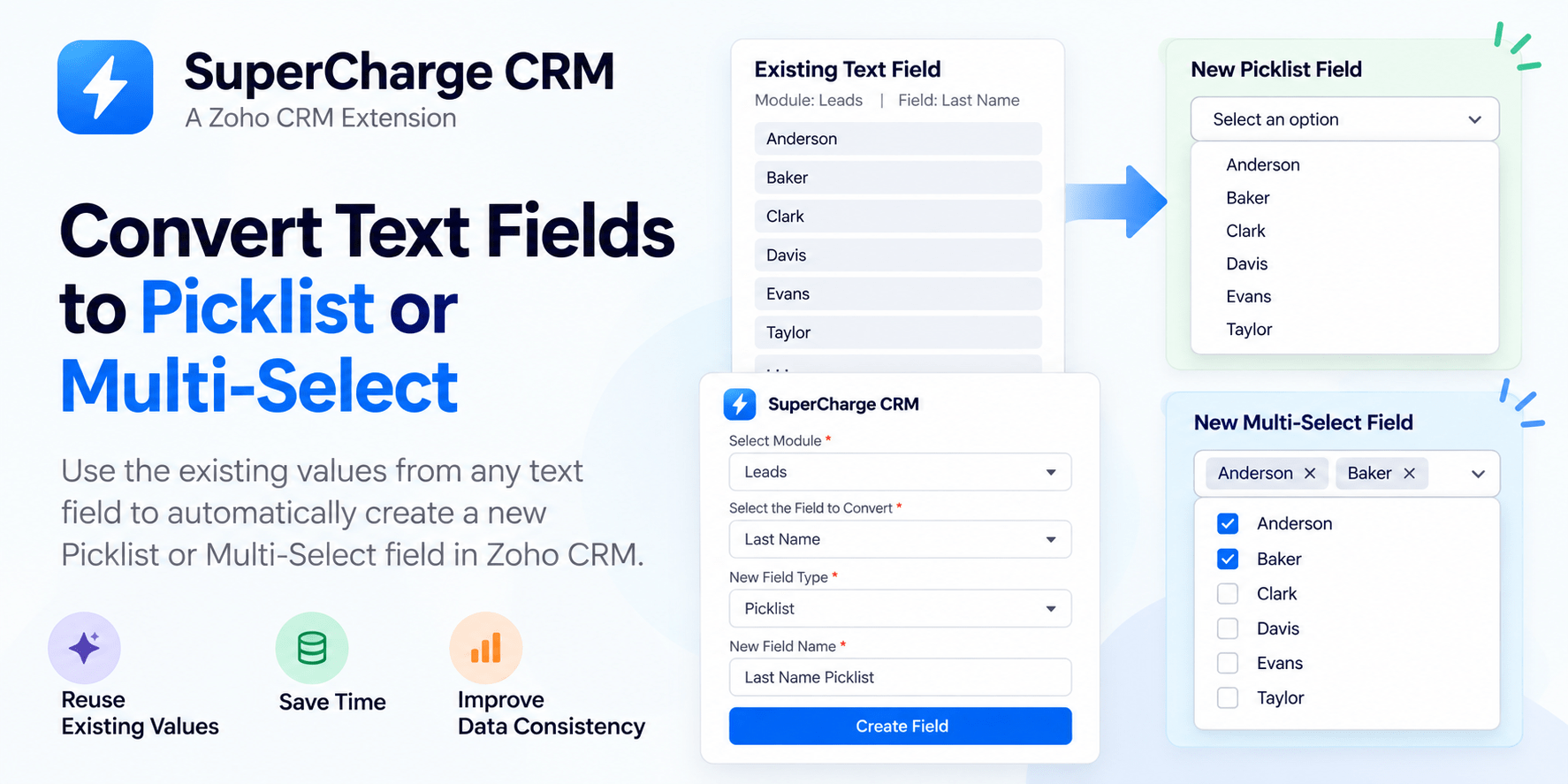
Managing data in Zoho CRM becomes challenging when users enter information manually into text fields. Over time, the same field can contain many different values, making data inconsistent and difficult to organize.
What if you could reuse those existing values to create a Picklist or Multi-Select field without adding every option manually?
That’s what SuperCharge CRM, a Zoho CRM widget extension, is designed to help you do.
The Problem with Text Fields
Text fields offer flexibility, but they can lead to inconsistent data entry. Different users might enter similar information in different ways, making it harder to filter records, maintain consistency, and build meaningful reports.
Converting frequently used text values into predefined options can help solve this problem.
How SuperCharge CRM Works
SuperCharge CRM simplifies the process of creating a new field using values from an existing text field.
Here’s how to use it:
- Select a module: Choose the Zoho CRM module you want to work with, such as Leads, Contacts, Accounts, or Deals.
- Choose a text field: Select the existing field whose values you want to reuse.
- Retrieve unique values: SuperCharge CRM identifies the unique values available in the selected field.
- Choose the field type: Select either Picklist or Multi-Select.
- Create the new field: Enter a field name and create the field using the retrieved values as its options.
Instead of manually entering each option, you can reuse values that already exist in your CRM.
Picklist vs. Multi-Select
Zoho CRM offers different field types for different requirements.
- Picklist: Allows users to select one option from a predefined list.
- Multi-Select: Allows users to select multiple options from a predefined list.
With SuperCharge CRM, you can choose the field type that best fits your workflow and use existing text-field values to configure its options.
Benefits of Using SuperCharge CRM
Save time: Reduce the effort required to enter picklist options individually.
Improve consistency: Give users predefined options instead of relying entirely on manual text entry.
Reuse existing data: Build field options from values already stored in your CRM.
Simplify field configuration: Create new Picklist or Multi-Select fields through a straightforward widget interface.
Make Zoho CRM Field Management Easier
Creating and maintaining CRM fields should not require unnecessary manual work. SuperCharge CRM helps streamline this process by turning existing text-field values into options for a new Picklist or Multi-Select field.
If you manage Zoho CRM and want a simpler way to configure fields and standardize data entry, SuperCharge CRM offers a practical solution.
SuperCharge CRM — Simplify field management. Improve data consistency. Work smarter in Zoho CRM.